Fotomoto can be used to sell images in web galleries generated with Photo Mechanic's HTML Template Exporter.
What You'll Need
A copy of Photo Mechanic , version 4.5 of later, and a Fotomoto account. If you don't have a Fotomoto account you can sign up for one here.
Copy the Fotomoto Script
Go to the Settings page of your Fotomoto Dashboard.
Make sure "None, I have a custom made website" is selected from the Publishing Platform drop-down menu.
Click the Get Script button and copy the Fotomoto Script.
Paste the Script in to your HTML Template file(s)
Follow the instructions in the Photo Mechanic User Guide to create the index.html and preview.html preview files for your HTML Export template.
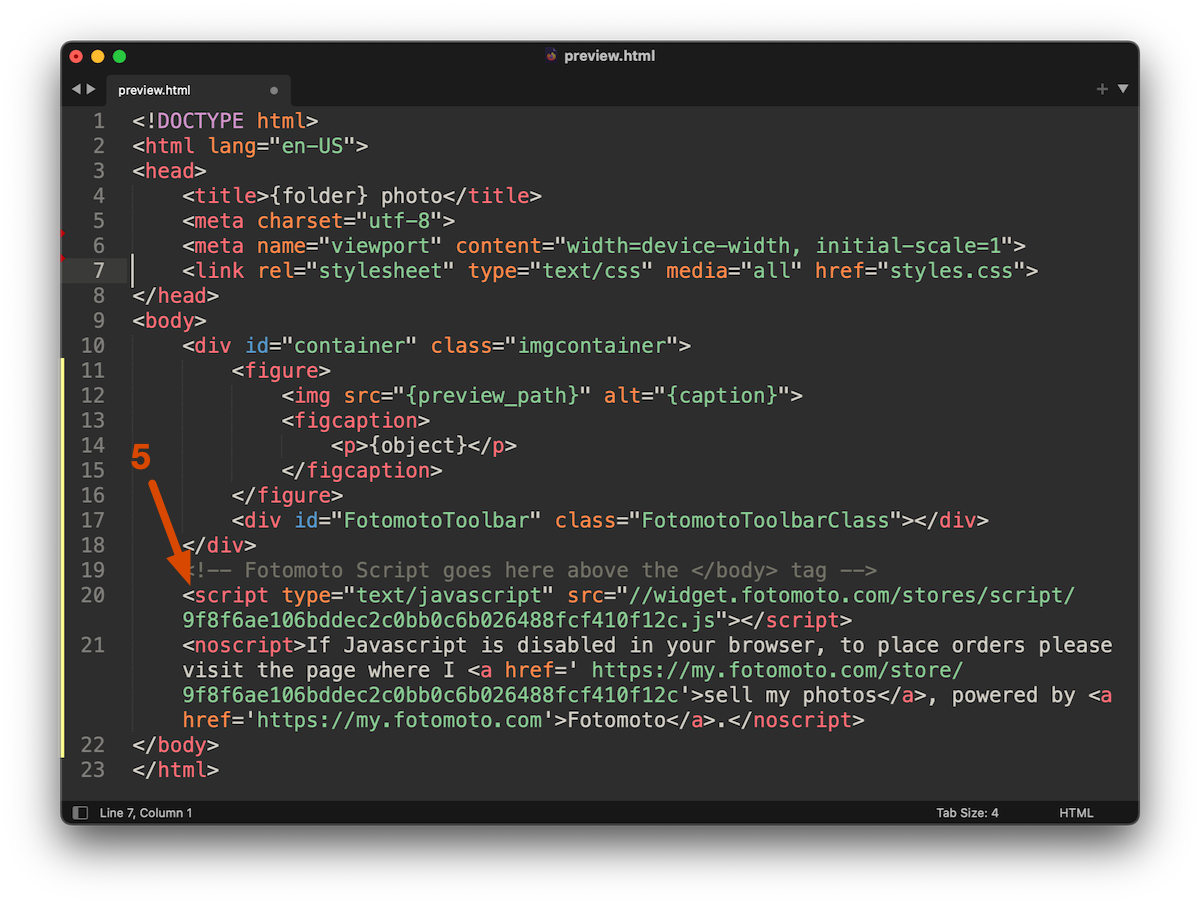
Paste the Fotomoto Script just above the </body> tag in your preview.html file, as shown below, then save the file.
Success! Your photos are now for sale!
When you publish your galleries to your site, you'll now have Fotomoto Buy Buttons added under every image.
What's Next?
Now that you've installed Fotomoto, you might want to read our article I've installed Fotomoto - now what?
If you have trouble, feel free to contact Fotomoto Support.